
Problems and Errors
Houston, We’ve Got A Problem…
Section titled “Houston, We’ve Got A Problem…”So… NarrativeFlow says your project has a problem.
Don’t feel bad, we’ve all got problems!
Jokes aside, seeing that your project has an error or warning (or a hundred) can seem scary, and perhaps make you feel like your project is doomed.
That’s why this guide is here: to make understanding and resolving errors and warnings simple and stress-free.
Instead of feeling like problems are indications that you’re doing something wrong or made a mistake, think of them as flags that keep your narrative safe from crashes and unintended results.
Below, you’ll find a reference containing every possible error and warning with information about why that problem will appear and the solution for that problem.
TIP
Some of the more “intimidating” errors are actually the result of simpler errors.
So perhaps start by resolving the easier-to-understand errors and see if the others are resolved as a result.
NOTE
If you notice an error or warning is displayed when there shouldn’t be (i.e. NarrativeFlow seems to be confused) and you’ve tried the resolution steps listed below, then it’s likely a bug, so please reach out to me here.
Errors vs. Warnings
Section titled “Errors vs. Warnings”What is the difference between an error and a warning in NarrativeFlow?
An error indicates that something, if left unresolved, will almost certainly cause game-breaking problems at runtime or even when just loading the project in your game engine.
It’s best to resolve all errors before compiling a project to avoid problems in your game, even just for testing.
A warning simply indicates that something may be incorrect but is technically valid.
For example, while leaving a choice field blank is technically valid, most of the time it’s probably not desired.
Because of this, a warning will be displayed (instead of an error) indicating that a choice field is blank.
If this was unintended, you can click the button to the right of the warning and fill in the blank choice field.
But if you do intend for that choice field to be left blank, then you can safely ignore that warning.
How To Use The Problems Left Panel Tab
Section titled “How To Use The Problems Left Panel Tab”When the Problems tab isn’t selected and there are errors in the project, the Problems tab button icon will be colored red.
When there aren’t any errors but there are warnings, the icon will be colored yellow.
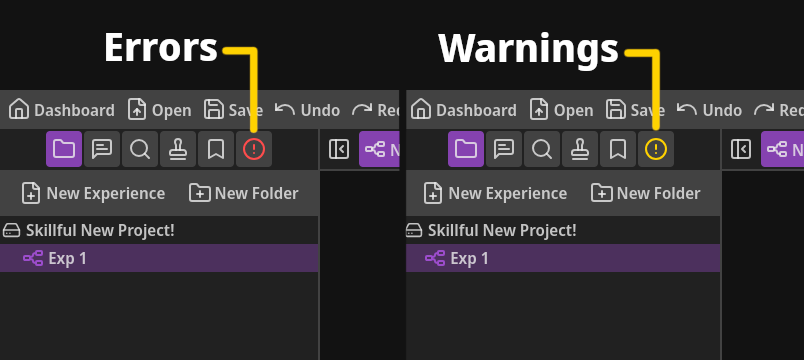
You can switch to the Problems tab by clicking the right-most tab button in the Left Panel.
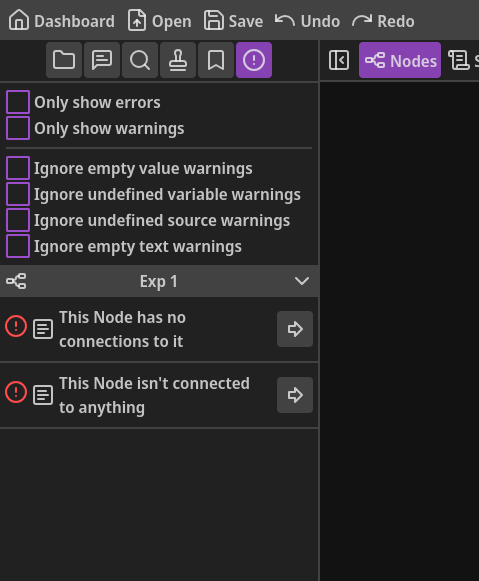
When there aren’t any errors or warnings, or if they’ve been hidden/ignored, you’ll see a message indicating so. In addition, the Problems tab icon will display it’s regular color.
Above the list of any problems, there are a few settings you can toggle:
- Only show errors - Enabling this will hide all warnings and only show errors.
- Only show warnings - Enabling this will hide all errors and only show warnings.
- Ignore empty value warnings - Enabling this will hide all warnings related to when a value field is left blank, such as for assignments or comparisons.
- Ignore undefined variable warnings - Enabling this will hide all warnings related to when a variable field, such as for assignments or comparisons, contains a variable that hasn’t been defined in the Variables modal.
- Ignore undefined source warnings - Enabling this will hide all warnings related to a blank Dialog Source field in Dialog Nodes.
- Ignore empty text warnings - Enabling this will hide all warnings related to blank Dialog or Choice fields.
Each error and warning listed has a button to the right of it that you can click to be taken to the Node or Experience with the problem.
For example, if the problem is related to a specific Node, the Experience that it’s within will be opened in the main workspace and that Node will be centered in the view.
And if the problem is related to an Experience (rather than a specific Node), that Experience will simply be opened in the main workspace.
Similar to search results and bookmarks, if the problem is related to an Experience or Node different than the currently open Experience, it will show a different icon to indicate that clicking it will open the related Experience.
Errors
Section titled “Errors”This Experience doesn’t have any Nodes
Section titled “This Experience doesn’t have any Nodes”
An Experience cannot be empty. So when an empty Experience is detected, this error will be displayed.
To solve this, simply add at least one Node to the Experience.
This Experience is missing a Start Node
Section titled “This Experience is missing a Start Node”
Without a Start Node, your game engine won’t be able to start any narrative chain in that Experience.
To solve this error, make sure the associated Experience has at least one Start Node.
This Start Node has the same name as another Start Node
Section titled “This Start Node has the same name as another Start Node”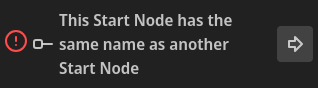
All Start Nodes in an Experience must have a unique name.
If two Start Nodes were allowed to have the same name, your game engine wouldn’t know which of the two to pick when you want to start a narrative chain.
To solve this error, simply give each Start Node in an Experience a unique name.
This Experience needs at least one End or Teleport Node
Section titled “This Experience needs at least one End or Teleport Node”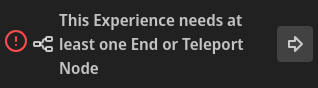
Similarly to Start Nodes, every Experience needs at least one End Node or Teleport Node in it.
Without End Nodes, your game engine won’t know when your narrative chain has reached the end.
Note that it’s perfectly valid for an Experience to not have any End Nodes but at least one Teleport Node.
To solve this error, make sure at least one End Node or Teleport Node exists in each of your Experiences.
This Node has no connections to it
Section titled “This Node has no connections to it”
For an Experience to be considered valid, all inputs must have something connected to them.
If nothing connects to a Node’s input, that means that Node will never be reached by your narrative, so it’s as good as if it weren’t there.
To solve this error, make sure that at least one other Node is linked to the input of the Node associated with the error.
This Node isn’t connected to anything
Section titled “This Node isn’t connected to anything”
Every Node output must be connected to another Node.
Otherwise, your game engine won’t know where to go next.
To solve this error, connect the Node’s output to another Node’s input.
One or more choices in this Node are not connected to anything
Section titled “One or more choices in this Node are not connected to anything”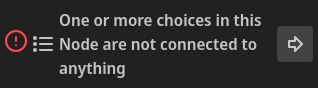
This error indicates that one or more of the outputs of a Choice Node isn’t connected to anything.
To solve this error, make sure every choice output is linked to another Node.
A route in this Node isn’t connected to anything
Section titled “A route in this Node isn’t connected to anything”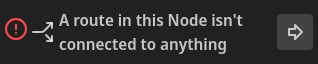
This error indicates that one or more of the outputs of a Conditional Node or Probability Node isn’t connected to anything.
To solve this error, make sure every route’s output is linked to another Node.
This Start Node is missing a name
Section titled “This Start Node is missing a name”
Start Nodes must have a unique name. It cannot be left blank.
To solve this error, simply give your Start Node a unique name.
A property in this Node is missing a name
Section titled “A property in this Node is missing a name”
The name field for Node properties cannot be left blank. Otherwise, your game engine won’t know what you want to do with the associated value.
To solve this error, make sure every property’s name field is filled in with the appropriate name.
This Node is missing a statement
Section titled “This Node is missing a statement”
If the statement attribute in a Function Node is left blank, then your game engine won’t know what you want it to do.
To solve this error, make sure to fill in the statement field in your Function Node.
A route in this Node in missing a weight
Section titled “A route in this Node in missing a weight”
This error indicates that the weight field for one of the routes in a Probability Node is blank. If left blank, that route won’t be considered valid.
To solve this error, make sure each route has a valid weight. A valid weight is either a number or a variable that holds a number.
This Node is missing a destination Experience
Section titled “This Node is missing a destination Experience”
When a Teleport Node hasn’t had a destination Experience selected, this error will appear.
Note that if an Experience previously chosen for a Teleport Node is deleted, the Teleport Node will automatically revert to no Experience chosen, which will cause this error to appear.
To solve this error, simply open the Teleport Node in the Node Editor and select a destination Experience.
This Node is missing a destination Start Node
Section titled “This Node is missing a destination Start Node”
This error will appear when either a destination Start Node has never been selected or if the previously selected destination Start Node is removed.
To solve this error, open the Teleport Node in the Node Editor and, after selecting a destination Experience, select a destination Start Node.
A variable name is missing in this Node
Section titled “A variable name is missing in this Node”
When a Variable or Conditional Node has an empty variable field (for assignments or comparisons respectively), this error will show.
To solve this error, make sure a valid variable name (one that has been defined in the Variables modal) is in the variable field.
This Start Node never reaches an End or Teleport Node
Section titled “This Start Node never reaches an End or Teleport Node”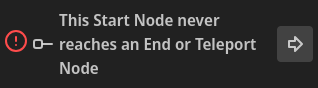
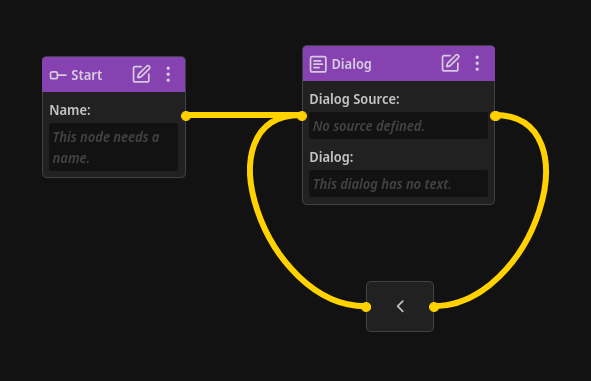
For a narrative chain to be considered valid, all Start Nodes must eventually reach either an End Node or a Teleport Node.
To solve this, make sure the Start Node in question can reach at least one End or Teleport Node.
One or more choices have no valid path to an End or Teleport Node
Section titled “One or more choices have no valid path to an End or Teleport Node”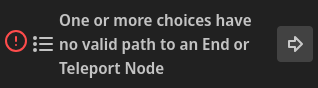
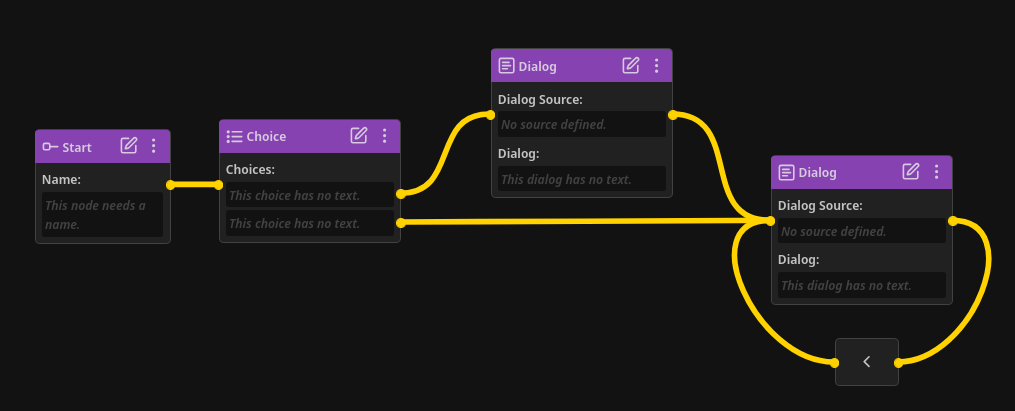
When the chain starting from a Choice Node’s choice doesn’t eventually reach an End or Teleport Node, this error will be displayed.
To solve this error, make sure every choice can eventually reach at least one End or Teleport Node.
One or more routes have no valid path to an End or Teleport Node
Section titled “One or more routes have no valid path to an End or Teleport Node”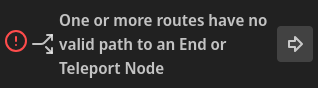
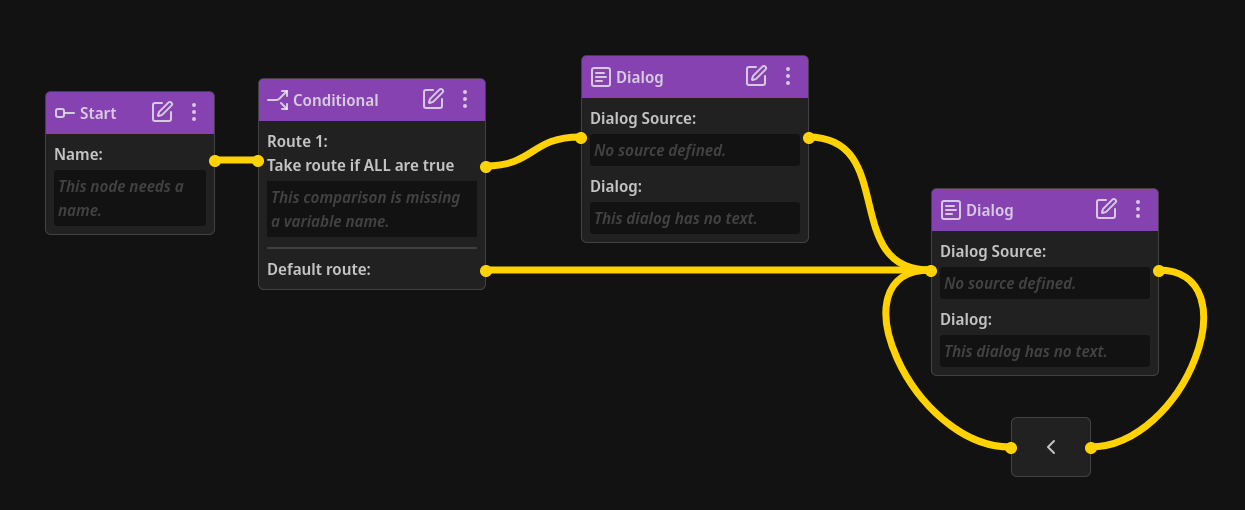
When the chain starting from a Conditional or Probability Node’s route doesn’t eventually reach an End or Teleport Node, this error will be displayed.
To solve this error, make sure every route, including the default route for Conditional Nodes, can eventually reach at least one End or Teleport Node.
This Experience contains one or more infinite loops
Section titled “This Experience contains one or more infinite loops”
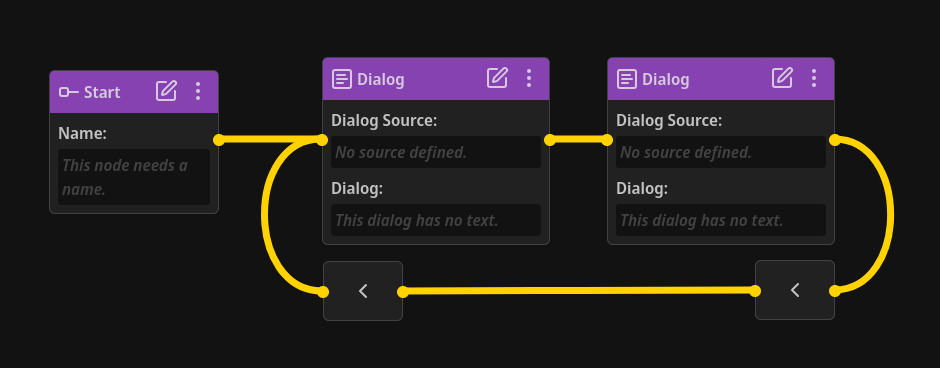
Infinite loops with no possible exit are not considered valid (loops with conditional exits are considered valid though).
To solve this error, either remove the loop or make sure it has a possible exit.
This Node is inaccessible from a Start Node
Section titled “This Node is inaccessible from a Start Node”
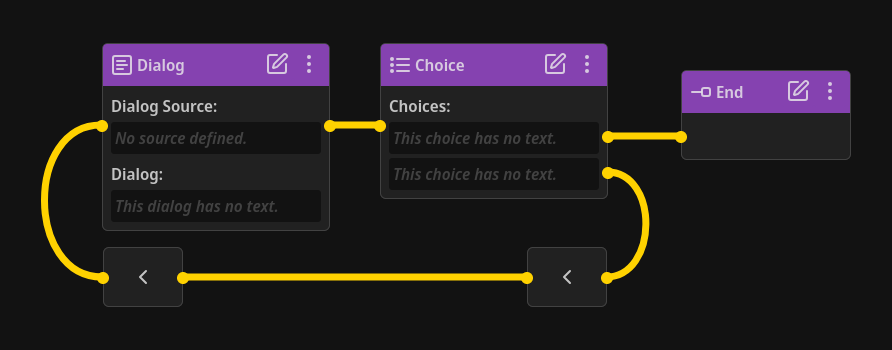
When a Node is inaccessible by at least one Start Node (i.e. no chain starting from a Start Node can reach this Node), this error will appear.
To solve this error, make sure the Node in question can be reached from at least one Start Node.
Warnings
Section titled “Warnings”Rather than indicating a critical narrative chain problem, warnings indicate that something is technically valid yet may not be what you intended.
For example, it is technically valid for the value field to be blank for an assignment or comparison.
In that case, the variable will be assigned or compared to an “empty string”, in programming terms.
Because things like this are completely valid and you may want to use them, NarrativeFlow only considers it a warning, not an error.
An assignment in this Node has an undefined variable name
Section titled “An assignment in this Node has an undefined variable name”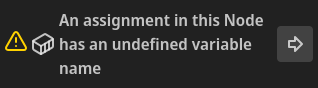
This warning indicates that the variable field in one or more Variable Node assignments contains a variable that hasn’t been defined in the Variables modal.
Note that using an undefined variable, if your game engine is programmed to handle such cases, is valid and may be what you intend). If this is the case, you can safely ignore this warning.
If not, you can resolve this warning by changing the contents of the variable field to be a variable defined in the Variables modal.
An assignment in this Node has an empty value
Section titled “An assignment in this Node has an empty value”
This warning indicates that the value field in one or more Variable Node assignments is blank.
Note that a blank value field is valid and may be what you intend (it’s the same as assigning a variable an empty string in programming languages). If this is the case, you can safely ignore this warning.
If not, you can resolve this warning by filling in the value field.
A comparison in this Node has an empty value
Section titled “A comparison in this Node has an empty value”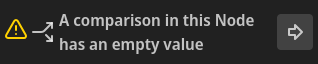
This warning indicates that the value field in one or more Conditional Node comparisons is blank.
Note that a blank value field is valid and may be what you intend (it’s the same as comparing a variable against an empty string in programming languages). If this is the case, you can safely ignore this warning.
If not, you can resolve this warning by filling in the value field.
A property in this Node has an empty value
Section titled “A property in this Node has an empty value”
This warning indicates that the value field in one or more Node properties is blank.
Note that a blank value field is valid and may be what you intend (it’s the same as an empty string in programming languages). If this is the case, you can safely ignore this warning.
If not, you can resolve this warning by filling in the value field.
The Dialog in this Node has an undefined source
Section titled “The Dialog in this Node has an undefined source”
There may be times in your narrative where you don’t need to define a dialog source for a specific Dialog Node, or perhaps your narrative overall simply doesn’t need a dialog source attribute.
In these cases, you can safely ignore these warnings.
Otherwise, you can resolve these warnings by filling in the dialog source field.
This Dialog Node has no text
Section titled “This Dialog Node has no text”
While most of the time you probably want to display at least some information, there may be some special cases or unique narrative situations where you want a completely empty dialog field.
If that is the case, you can safely ignore this warning.
Otherwise, this warning can be resolved by filling in the dialog field.
One or more choices in this Node have no text
Section titled “One or more choices in this Node have no text”
There are perhaps some narratives where a choice with no information (an empty choice) is what you want.
If that is the case, you can safely ignore this warning.
Otherwise, you can resolve this warning by making sure each choice field is filled in.
This Comment Node has no text
Section titled “This Comment Node has no text”
If a Comment Node doesn’t have anything written in it, this warning will appear.
If this is intentional, you can safely ignore this warning.
Otherwise, you can resolve this warning by entering any information you need in the Comment Node, or simply removing the Comment Node.
Have a problem not listed above?
Section titled “Have a problem not listed above?”If you have a problem not listed in the reference above, any technical problem with NarrativeFlow, not just an error or warning, please reach out to me here.