
Left Panel
The Left Panel has six different tabs, each with a unique purpose.
From left-to-right, these tabs are: Experiences, Experience Notes, Search and Filter, Node Presets, Node Bookmarks, Problems.
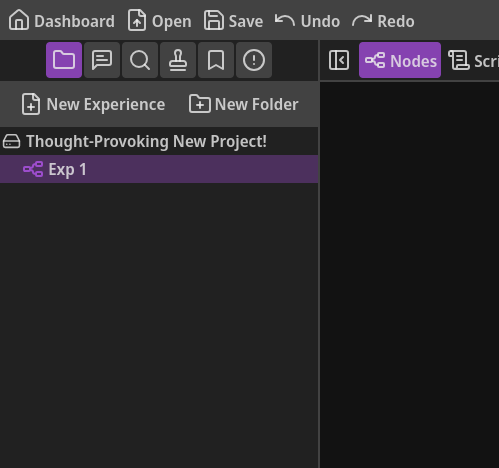
At any time, you can collapse/expand the Left Panel by clicking the left-most button in the workspace toolbar (the button to the left of the “Nodes” button).
Let’s talk about each tab in the Left Panel and how they help you craft your stellar narrative and speed up your workflow!
The Experiences Tab
Section titled “The Experiences Tab”This tab lists all of the Experiences that you’ve created.
You can organize your Experiences with folders, similar to how most OSs do file organization.
To create a new Experience or folder, you can simply click the respective buttons at the top of the tab.
You can also right-click in the blank space (so not on an item) to open the Experience Tree Menu and create an Experience or folder that way as well.
Right-clicking on an Experience lets you duplicate the Experience, rename it, or remove it. Removing an Experience will also remove the Nodes contained in it.
If you’ve created at least one folder, you will also have options to move the Experience into a folder.
If an Experience is already directly within a folder, that folder won’t appear as an option to move the Experience into it (because it’s already in it).
Right-clicking a folder will let you create an Experience or folder directly within the right-clicked folder.
You also have options to rename or remove the folder.
And similarly to Experiences, if at least one folder besides itself exists, you will have the option to move it into another folder.
The “root” item represents your project as a whole.
You can right-click that to create an Experience or folder in exactly the same way as the two buttons at the top of the tab or when right-clicking in the blank area.
There is also an option to rename your project to whatever you’d like.
The Experience Notes Tab
Section titled “The Experience Notes Tab”If you have any notes specific to an Experience, this tab is a great place to put them!
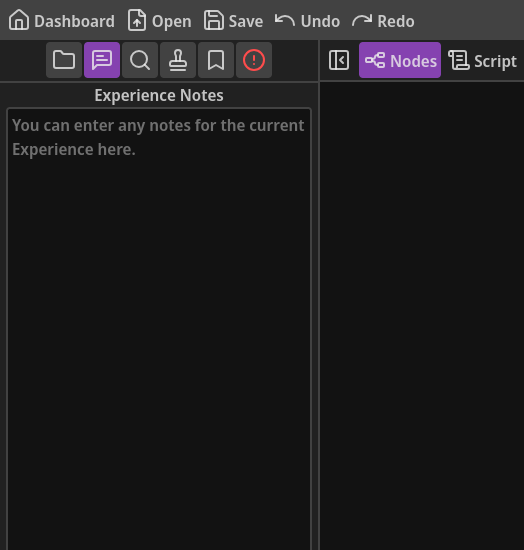
This can include VO direction, reminders, important information about the narrative, or anything else.
This tab in unique to each Experience, so any notes you write in one are exclusive to that Experience, and opening a different Experience will have its own notes.
The Other Tabs
Section titled “The Other Tabs”The four remaining tabs each have their own dedicated page: